Buying Guides
How to Choose an Automatic Stud Welding Machine for Enclosure Panels
An automatic stud welding machine with three welding heads, programming-free operation and DXF import, built for new-energy enclosures, chassis and cabinet panels. How to choose among the four H3 mode
1. Where manual stud welding slows a shop down
Studs on an enclosure, chassis or cabinet panel are usually welded by hand, one at a time. The work is slow, the result depends on the welder, and every stud is a separate positioning step. On a panel with many studs, the welding time adds up, and a missed or misplaced stud means rework on a finished panel. For new-energy enclosures and cabinet panels, where stud counts per panel are high, manual welding is often the slowest step in the line.
2. How the H3 series works
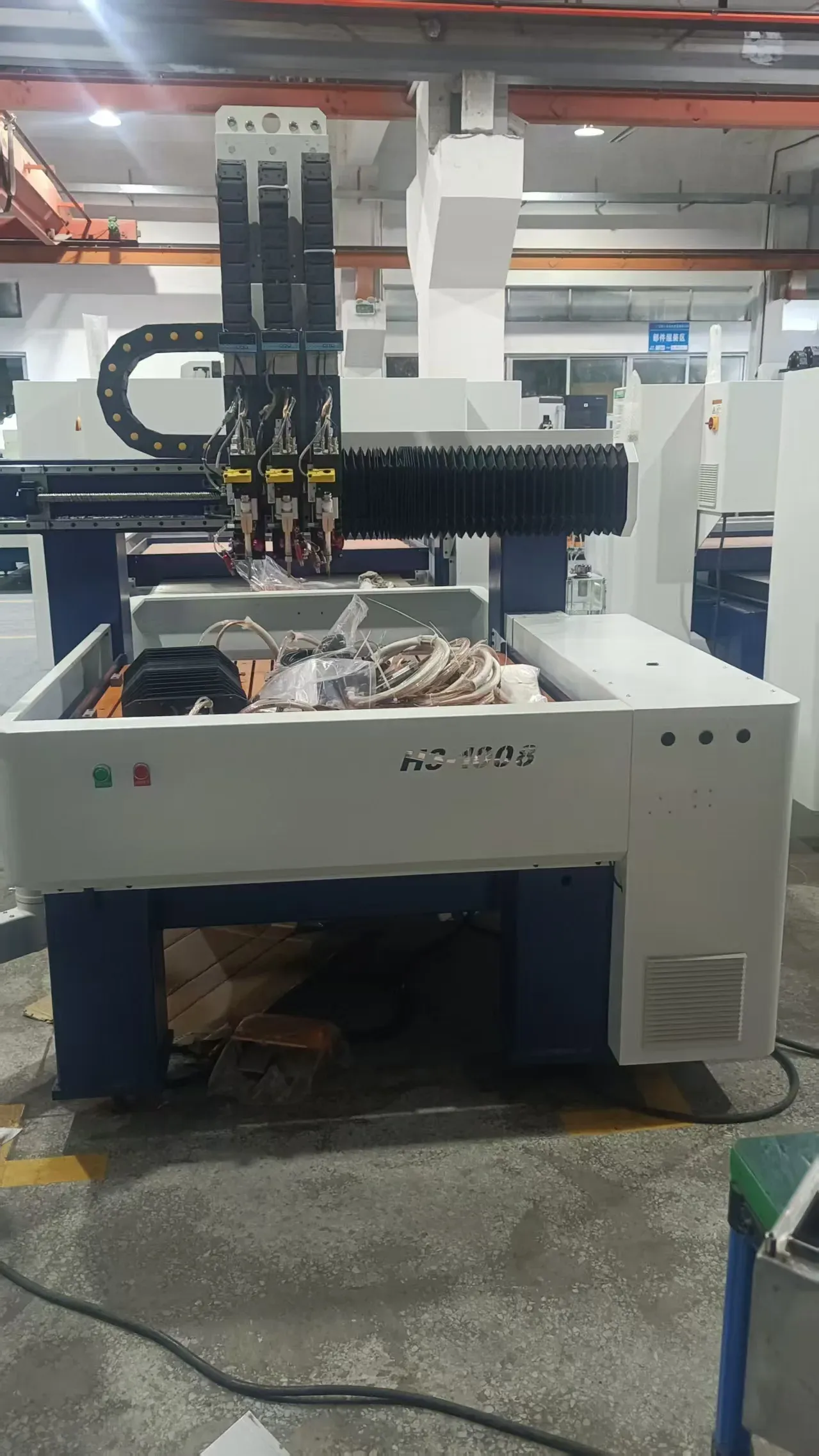
The Automatic Stud Welding Machine (H3 series) is built for new-energy enclosures, chassis and cabinet panels.
- Three welding heads: three heads work on the panel, so several studs are placed in one run instead of one at a time.
- Programming-free: the machine runs without a programming step for the operator.
- DXF import: drawings are imported directly, so the stud positions come from the part drawing rather than from manual marking.
- Built for panel work: the machine is designed around flat enclosure, chassis and cabinet panels, not general welding jobs.
3. Four models: how to choose
The H3 series has four models. Choose by the panel, not by the machine: the stud size, the panel thickness and the number of studs per panel decide which model and configuration fit. Send the panel details and the model is confirmed against them — do not choose on the model number alone.
Model | Built for |
|---|---|
H3-1020 | New-energy enclosures, chassis and cabinet panels |
H3-1325 | New-energy enclosures, chassis and cabinet panels |
H3-2030 | New-energy enclosures, chassis and cabinet panels |
H3-2040 | New-energy enclosures, chassis and cabinet panels |
All four models share the same working method: three welding heads, programming-free operation and DXF import. The model is matched to the panel size and the stud layout on the drawing.
4. What to send before a quote
Send these four items and the model and configuration can be confirmed against your part:
- Part material and thickness.
- Largest panel size.
- Operations needed — stud size, stud type and studs per panel.
- Part drawings (DXF if available).
5. Common questions
- Do I need a programmer to run it? No. The machine is programming-free, and stud positions come from the imported DXF drawing.
- What panels is it built for? New-energy enclosures, chassis and cabinet panels.
- How many welding heads does it have? Three.
- Which model do I need? Send the material, thickness, largest panel size and the stud size and count per panel. The model is confirmed against the drawing.
- Can it weld studs on a panel with many studs? That is the work it is built for — send the studs-per-panel count and the drawing so the layout can be checked.
Contact
Lazy Automation — Guangdong Lazy Automatic Equipment Co., Ltd, Dongguan, China.
Email: yuanrongbing8@gmail.com · Tel: +86 139 0269 5283 · www.lazy-auto.com