Buying Guides
Fixturing a Large Plate on a Gantry Mill: Clamping, Datums and One Setup
How to fixture a large plate on a GL series gantry mill, set one datum for drilling, tapping and milling, and finish the part in a single setup without re-clamping.
1. Why the plate stays put
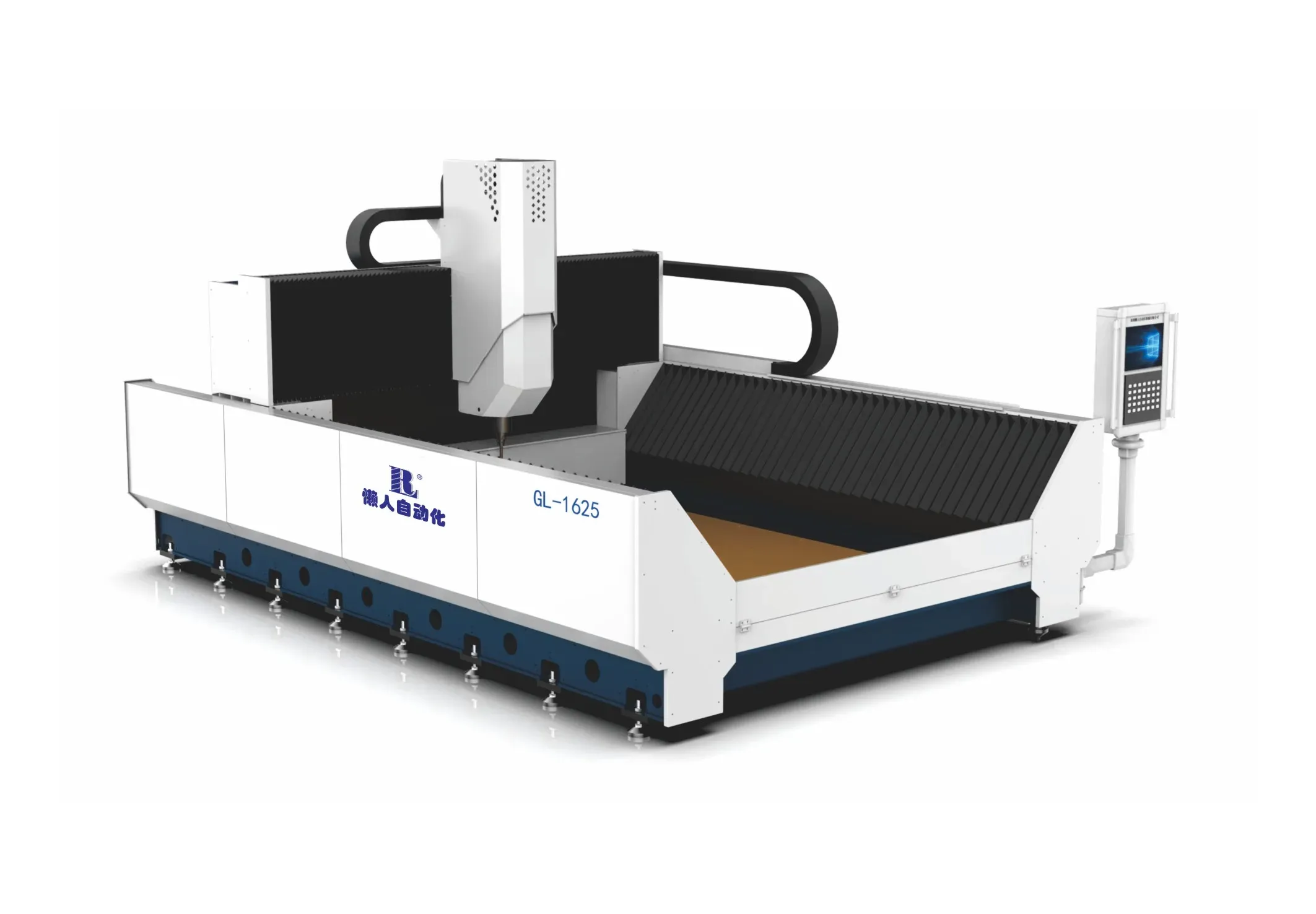
Past a certain size, a plate stops being a part you move and becomes a part you work around. On the GL series, the plate stays still and the gantry carries the spindle over it: four models cover 1600 x 2500 mm up to 2000 x 6000 mm, so a full equipment bed or frame plate can be machined without being lifted, turned or re-clamped halfway through. Drilling, tapping and milling all run from the same setup, on the same six-axis control, with the automatic tool magazine changing tools inside the cycle.
That only pays off if the setup is right before the spindle starts. A large plate that is clamped badly will move, bow or vibrate, and every hole after that is machined in the wrong place. The work that decides the result happens before cutting: supporting the plate, clamping it, and setting the datum that every operation refers back to.
2. Support the plate before you clamp it
A 2000 x 6000 mm plate is heavy and flexible. If it is supported only at the ends, the middle sags; if it is supported only in the middle, the ends droop. Either way the top surface is not where the program thinks it is, and holes drilled at the far end come out at the wrong depth.
Set the plate down on supports spread across its full length and width, not just under the corners. Check that it sits flat before any clamp goes on: a plate that rocks on its supports will still rock after clamping, only now it is held in a twisted shape and will spring back when the clamps come off. Level and support first, clamp second.
Clamp at several points along the long edges, near the areas that will be machined, rather than pulling down hard at two points. A plate clamped at two points can still lift between them when the cutter pushes through. Spread the clamps, tighten them in sequence rather than one at a time, and re-check that the plate still sits flat after the last clamp is set. If tightening a clamp lifts the opposite edge, the support under that edge needs adjusting, not more force on the clamp.
3. Set one datum and let every operation use it
The main advantage of one setup is that drilling, tapping and milling all refer to the same datum. That advantage is lost if the datum is set casually. Pick it from a real feature of the part — a machined edge or a corner — not from the edge of the table or from a rough sawn edge of the plate, which may not be square to the hole pattern.
Pick up the datum with the shop's edge finder or probe, record it in the control, and check it a second time from the opposite end of the plate. On a 6000 mm plate, a small error at the datum end becomes a visible error at the far end, so the check at the far end is the one that matters. Once the datum is set and checked, do not move the plate, the clamps or the supports until the part is finished: every operation in the program — drill, tap, mill — is positioned from that one point.
Z travel is 500 mm on the GL-1625 and GL-2030 and 800 mm on the GL-2040 and GL-2060, so a tall fixture or a frame standing on the plate needs checking against that figure before the run, not after the spindle meets it.
4. The sequence in one setup
With the plate supported, clamped and datumed, the job runs as one program: drill the holes, tap the threaded ones, then mill the pockets, edges and faces. The order matters. Drilling first leaves clean holes for tapping; tapping before milling means the milled surfaces are cut after the threads are in, so chips from milling do not sit in the threads. The tool magazine holds the drill, tap and milling cutter on board — 16, 21 or 24 stations depending on configuration — so the change between operations happens inside the cycle instead of between jobs.
Step | What to check | What goes wrong if it is skipped |
|---|---|---|
Support | Plate sits flat on supports spread across its length and width | Middle sags or ends droop, so hole depth varies across the plate |
Clamp | Clamps spread along the long edges, tightened in sequence | Plate lifts between clamps when the cutter pushes through |
Datum | Datum picked from a machined edge or corner, checked at the far end | Holes drift out of position toward the far end of the plate |
Clearance | Tall fixtures and frames checked against Z travel (500 or 800 mm) | Spindle or tool meets the fixture mid-program |
Drill | All holes drilled before tapping starts | Taps cut into un-drilled material or a half-drilled hole |
Tap | Threads cut while the plate is still in its one setup | Re-clamping to tap later re-introduces a positioning error |
Mill | Pockets, edges and faces milled last | Milling chips sit in finished threads |
5. What the machine brings to the setup
The setup is the operator's work; the machine's job is to hold position while the spindle moves. The GL bed is a steel plate honeycomb weld, and the machine uses dual drive with four guide rails — both sides of the gantry driven, the load spread across four rails — so the gantry stays square under acceleration. That is what makes 60 000 mm/min idle speed usable rather than just fast: the structure holds the position the setup defined.
The spindle runs up to 12 000 r/min on a 7.5 kW or 11 kW main axis, with an optional BT40 or BT50 main axis. For a mixed job the magazine matters more than the top spindle speed, because the tool change happens inside the cycle. Online and offline programming are both supported, so the program can be prepared away from the machine while the plate is being set up, and the machine is not standing idle during programming.
6. A one-setup checklist for large plates
Work through this before the first cut on every large plate, and again after any re-clamping or program change:
- Confirm the plate fits the model: GL-1625 at 1600 x 2500 mm, GL-2030 at 2000 x 3000 mm, GL-2040 at 2000 x 4000 mm, GL-2060 at 2000 x 6000 mm.
- Support the plate across its full length and width, and check it sits flat with no rocking before clamping.
- Clamp at several points along the long edges, tighten in sequence, and re-check flatness after the last clamp.
- Set the datum from a machined edge or corner, and check it again from the opposite end of the plate.
- Check tall fixtures and frames against Z travel — 500 mm on the first two models, 800 mm on the GL-2040 and GL-2060.
- Confirm the tool magazine holds every tool the program needs, so no manual tool change interrupts the cycle.
- Run the program in order — drill, tap, mill — and do not move the plate, clamps or supports until the part is finished.
7. What to send before a quote
Send the plate size, material, thickness and the operations required — drilling, tapping, milling or a mix of all three — and our team will confirm the model from GL-1625 to GL-2060 and the axis and tooling configuration. For a large plate, add the drawing with the hole pattern and any tall features or frames, so the Z travel and the clamping plan can be checked at the same time.
8. Common questions
- Why not machine one half, then turn the plate around? Turning a large plate means a second setup, a second datum and a second clamping error. The GL series is built to machine the whole plate in one setup, so the hole pattern stays in one coordinate system from the first hole to the last.
- How many clamps does a large plate need? More than two, spread along the long edges near the areas being machined. The exact number depends on the plate size and the operations, but the rule is the same: support across the full span first, then clamp in sequence.
- What if the plate rocks on its supports? Fix the support, not the clamping. A plate that rocks before clamping will be held in a twisted shape after clamping and spring back when the clamps come off.
- Which model do I need for my plate? Start from the largest plate you run: GL-1625 covers 1600 x 2500 mm, GL-2030 2000 x 3000 mm, GL-2040 2000 x 4000 mm and GL-2060 2000 x 6000 mm. Tall fixtures also need the Z travel checked — 800 mm on the two larger models.
- Do I need specialist programming to run a one-setup job? No. Online and offline programming are both supported, so the program can be prepared away from the machine and run by a general operator.
- What materials can the GL series machine? Aluminum plate, steel plate and profiles, for drilling, tapping and milling on equipment beds and frames.
Contact
Lazy Automation — Guangdong Lazy Automatic Equipment Co., Ltd, Dongguan, China.
Email: yuanrongbing8@gmail.com · Tel: +86 139 0269 5283 · www.lazy-auto.com